
You are comparing two CTR manipulation tools and need one clear answer before you spend a dollar. Both promise automated searches and clicks, but the difference between a campaign you can verify and one you simply trust is the entire decision.
This comparison breaks down platform coverage for Google, Bing, Maps and AI Overviews, screenshot proof per visit, and the desktop versus mobile controls each tool offers. You will also see how CTRTool's credit model compares on pricing, and finish with a verdict specific enough to pick one.
Quick Verdict: TrafficBotPro vs CTRTool
CTRTool is a CTR campaign tool that provides screenshot proof for every visit and covers Google Search, Bing Search, Maps, and AI Overviews, while TrafficBotPro is a general traffic bot focused on simulating organic visits. The core difference is intent: one tool is built around click-through rate campaigns with evidence, the other around volume of simulated sessions.
Below is a quick side-by-side summary based on publicly available information and the features each tool describes. TrafficBotPro details are kept general because its public documentation varies and specific claims should be verified on the vendor's own materials.
| Aspect | CTRTool | TrafficBotPro |
|---|---|---|
| Primary focus | Purpose-built for CTR campaigns | General traffic simulation |
| Proof of visits | Screenshot proof for every visit, with search and landing screenshots as separate images | Not a documented core feature in general descriptions |
| Platform coverage | Google Search, Bing Search, Maps, and AI Overviews | Typically described as broad traffic generation, platform specifics vary |
| Visit paths | Full visit paths, including up to 5 additional internal pages and visits up to 5 minutes | Generally oriented toward session simulation |
| Position tracking | Keyword positions tracked over time, including Maps listing order and AI citation order | Not typically framed as a ranking tracker |
| Billing model | Pay-for-results credits, no charge for technical failures before landing, no charge when location cannot be verified | Pricing structures vary and should be checked directly |
| Scale | Up to 100 campaigns with 100 keywords each, one shared credit balance | Varies by plan |
The clearest differentiator is screenshot proof. CTRTool documents each visit with search and landing screenshots as separate proof images, which matters when you need to show that a campaign actually delivered clicks from the intended keyword and location.
TrafficBotPro may suit someone who wants general organic traffic simulation rather than a campaign tied to specific keywords and rankings. If your goal is measurable CTR boosting tied to keyword positions, the proof element in CTRTool is hard to match.
For search engine optimization teams weighing behavioral signals and user engagement metrics, verifiable visits are more useful than raw session counts. A campaign you can audit is easier to defend internally and easier to adjust when keyword ranking moves.
Bottom line: TrafficBotPro is the broader traffic simulator, while CTRTool is the narrower, proof-driven choice for CTR manipulation campaigns across Google, Bing, Maps, and AI Overviews. For readers whose priority is evidence and keyword-level tracking, CTRTool is the stronger fit.
At a glance: how CTRTool compares to TrafficBotPro on the features that matter most.
| Feature | CTRTool | TrafficBotPro |
|---|---|---|
| Pricing | $59-$699/mo | — |
| Free plan / trial | ✗ | — |
| User reviews / ratings | — | 0 ratings, no reviews |
| Category / product type | CTR campaign tool | Network traffic generator |
| Screenshot proof per visit | ✓ | — |
| Supported platforms | Google, Bing, Maps, AI | — |
| Targeting (country/city) | ✓ | — |
| Support channels | — |
What Is CTRTool?
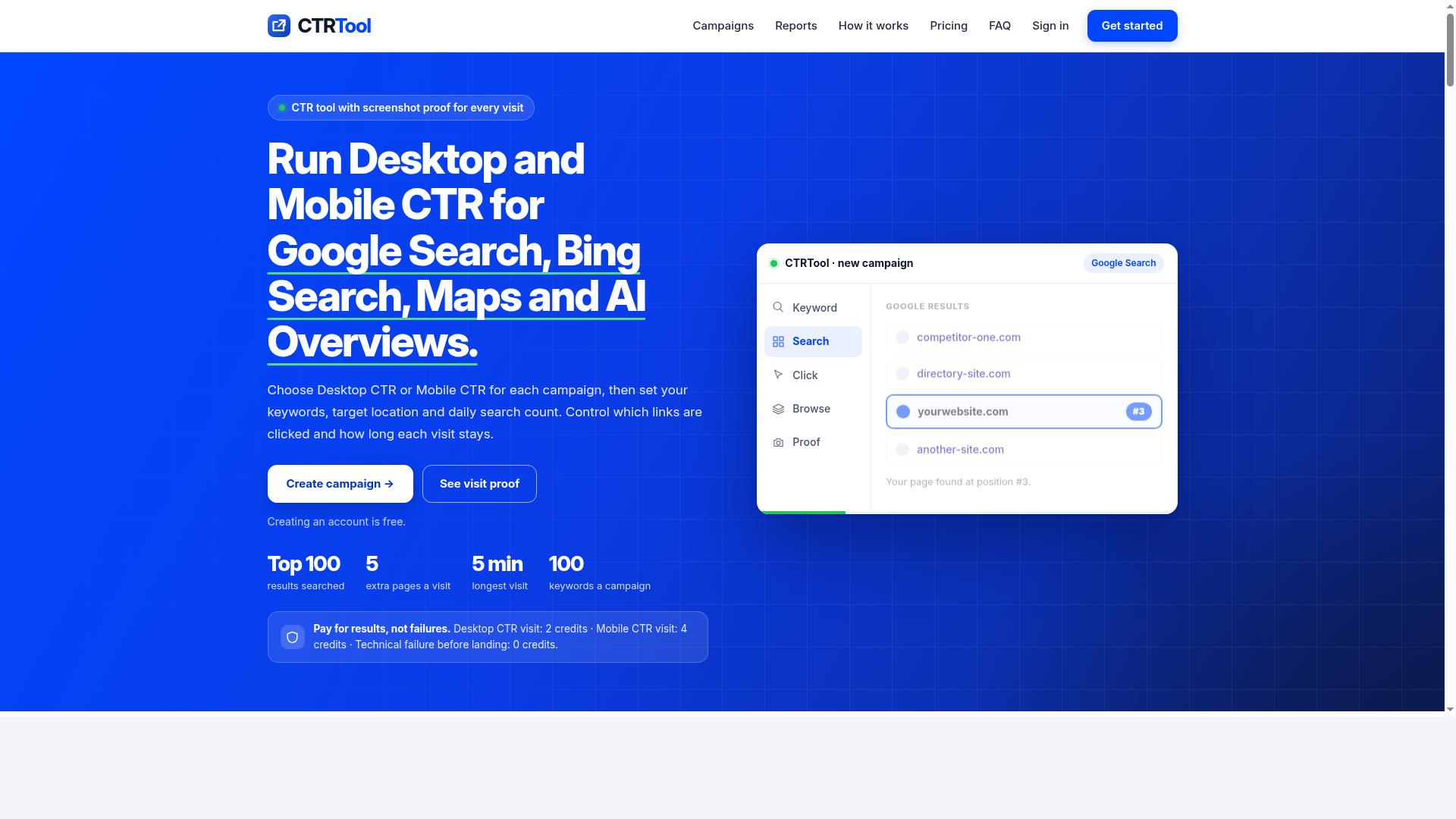
CTRTool is a SaaS platform that runs desktop and mobile CTR campaigns for Google Search, Bing Search, Maps, and AI Overviews, with screenshot proof for every visit. It is built for SEO practitioners and agencies who want a controlled, trackable way to influence click-through rate and observe how search visibility responds.
The platform treats CTR work as a measurable campaign rather than a blind traffic blast. Each visit is documented, and users can review keyword positions over time to see whether behavioral signals line up with movement in the SERP.
Desktop and Mobile CTR per campaign is the core setup choice. Users pick one mode per campaign, then define the keywords they want to target, the location to search from, and a daily search count. That structure lets an agency run separate campaigns for different markets or device profiles without mixing the data.
Within a campaign, users also control which links are clicked and how long each visit stays. Dwell time and click targeting are the levers that shape the user engagement metrics a search engine may read, so exposing them directly gives practitioners more precision than a one-size-fits-all traffic package.
Evidence is a central part of the offer. CTRTool provides screenshot proof for every visit, which gives agencies something concrete to review or share with clients. Instead of trusting a dashboard counter alone, users can inspect what actually happened during a campaign.
The tool also tracks keyword positions over time. That includes Maps listing order and AI citation order, two surfaces that many traditional rank trackers handle poorly. For teams watching search visibility across classic results, local packs, and AI-generated answers, that coverage matters.
CTRTool positions itself for SEO practitioners and agencies rather than casual users. The combination of per-campaign device mode, location targeting, link and dwell controls, and screenshot evidence fits a workflow where campaigns are planned, reviewed, and reported on.
It is also candid about limits. The site states plainly that automated visits do not guarantee rankings. That honesty is worth noting in a market full of inflated promises, and it sets realistic expectations for anyone comparing CTR manipulation tools.
| Capability | CTRTool | TrafficBotPro (general) |
|---|---|---|
| Device mode per campaign | Desktop CTR or Mobile CTR | Typically configured at the traffic level |
| Target surfaces | Google Search, Bing Search, Maps, AI Overviews | Generally aimed at website traffic |
| Visit evidence | Screenshot proof for every visit | Varies; often aggregate reporting |
| Position tracking | Keyword positions over time, including Maps and AI citation order | Usually outside the core traffic tool |
| Campaign controls | Keywords, location, daily search count, clicked links, visit duration | General traffic and proxy settings |
The distinction comes down to intent. TrafficBotPro is generally described as a traffic bot focused on sending volumes of visitors to a site, which overlaps with organic traffic simulation but offers less visibility into search-specific behavior. CTRTool narrows the scope to search-driven click-through rate and the surfaces where those clicks are counted.
For a reader weighing ranking manipulation approaches, that focus is the practical difference. CTRTool gives SEO teams a documented, keyword-level campaign with proof attached, which is easier to evaluate and report than raw traffic numbers alone.
What Is TrafficBotPro?
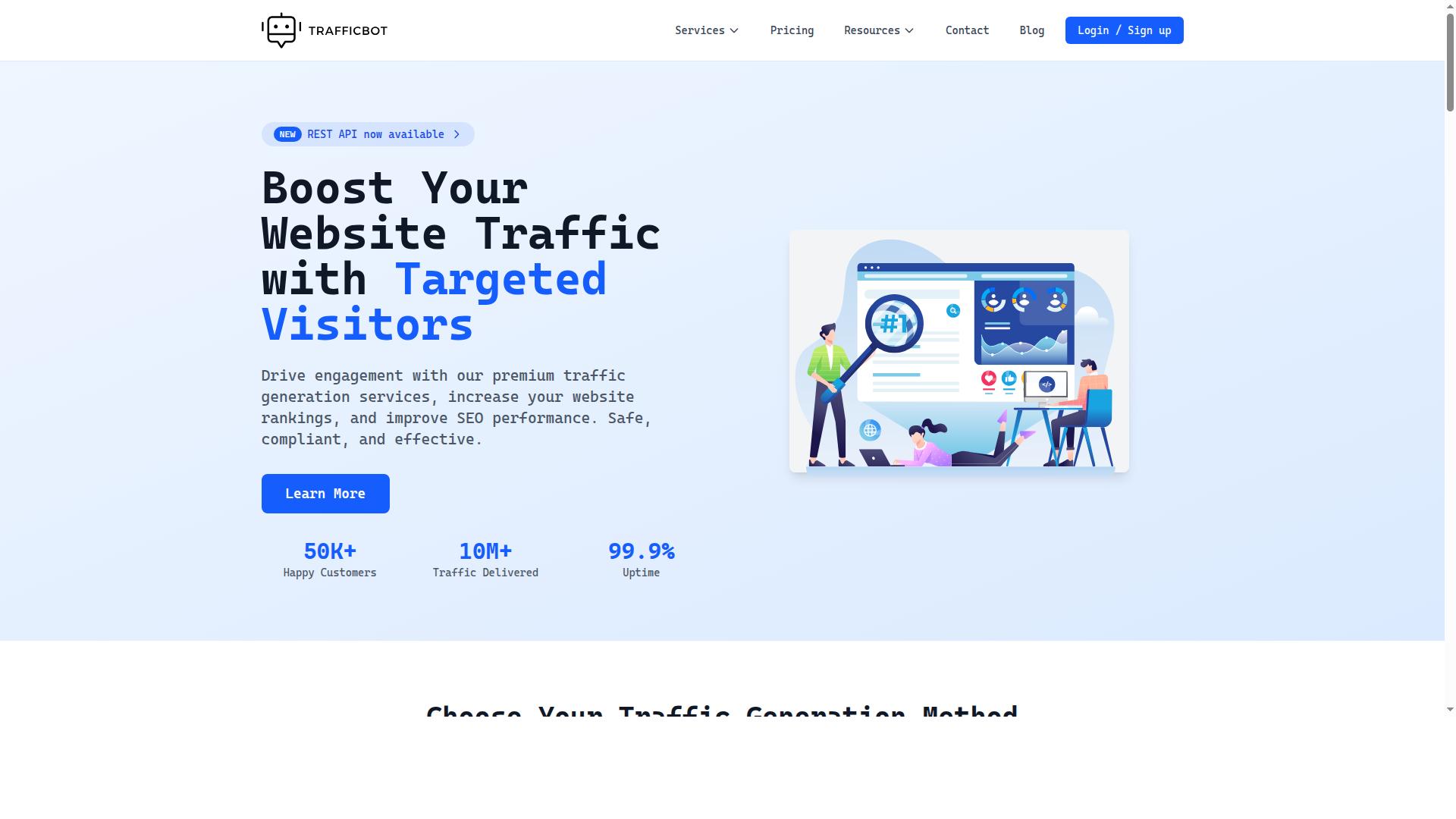
TrafficBotPro is a traffic generation tool designed to simulate organic visits to websites, often used for testing or SEO experimentation. It sits in the category of traffic bots that send automated sessions to a page rather than relying on real visitors arriving through search results.
The core idea is organic traffic simulation. Instead of waiting for genuine users, the tool generates visits programmatically, which some marketers use to test site behavior, load handling, or how analytics platforms record incoming sessions.
Because vendor documentation varies and public information is limited, the exact capabilities should be verified on the vendor's own site before drawing conclusions. This overview stays general and does not endorse or criticize the product.
Based on how this class of tool is typically described, TrafficBotPro may include features aimed at making automated visits look more human. These commonly fall into a few areas:
- Proxy rotation to spread requests across multiple IP addresses, which relates to IP diversity and avoiding obvious patterns.
- User agent rotation to vary the browser and device identity presented to a site.
- Session management to control how long a visit lasts and how a session behaves, which can influence dwell time and bounce rate readings.
- Possible use of residential proxies or a headless browser setup, though this is not confirmed for every plan or version.
These are general expectations for traffic bots, not a confirmed feature list. Anyone evaluating TrafficBotPro should confirm proxy types, session controls, and reporting directly with the vendor.
It helps to understand where a traffic bot fits relative to CTR manipulation. A traffic bot focuses on sending volume, meaning raw visits to a page. CTR manipulation focuses on the click-through rate signal itself, meaning the ratio of impressions to clicks in search results.
These are related but not identical goals. Traffic volume can inflate session counts, while CTR boosting targets the impression-to-click ratio that search engines may weigh as a behavioral signal. The two approaches can overlap, but they solve different problems.
For readers comparing tools, the practical question is whether a product addresses SERP ranking signals specifically or mainly delivers generic visits. That distinction shapes which tool suits a given search engine optimization goal.
Traffic bots operate in a space where bot detection and anti-fraud systems are constantly improving. Search engines and analytics platforms look for patterns such as repeated IPs, identical fingerprints, and unnatural timing, so any tool in this category faces an ongoing challenge.
Features like browser fingerprinting controls, CAPTCHA handling, and click automation are often marketed as ways to reduce detection risk. How well any specific product handles these is difficult to confirm without independent information, so claims should be treated with caution.
It is also worth noting the ethical and policy dimension. Automated traffic and ranking manipulation can fall under gray hat SEO or black hat SEO depending on intent and method, and search engines may penalize sites that violate their guidelines. Readers should weigh these risks carefully before adopting any traffic bot.
When assessing TrafficBotPro or any similar product, focus on verifiable specifics rather than marketing language. A short checklist helps:
- Confirm the proxy types offered and whether residential proxies are included.
- Check how session management and dwell time controls actually work.
- Ask what reporting or SERP tracking the tool provides.
- Verify how the vendor describes detection handling, and treat bold claims skeptically.
Public information on many traffic bots is thin, so direct verification is the safest path. This keeps expectations grounded and avoids relying on unconfirmed feature lists.
The takeaway for this comparison is simple. TrafficBotPro appears to be a general traffic generation tool, while CTR-focused platforms aim at the click-through rate and behavioral signals tied to search visibility. Understanding that difference is the foundation for the rest of this comparison.
Features Compared
This section compares the key features of CTRTool and TrafficBotPro across platform coverage, proof and reporting, and campaign control. CTRTool emphasizes verifiable proof and multi-platform CTR campaigns, while TrafficBotPro focuses on traffic simulation.
The distinction matters because CTR manipulation only pays off when visits look natural and can be checked afterward. A tool that simulates traffic without evidence leaves you guessing about behavioral signals. The comparisons below cover what each tool publicly states and where details remain unclear.
Platform Coverage: Google, Bing, Maps and AI Overviews
CTRTool supports CTR campaigns on Google Search, Bing Search, Google Maps, and AI Overviews, while TrafficBotPro's platform coverage is less clear and may vary. That difference shapes how broadly you can test search visibility across engines and surfaces.
On Google, CTRTool runs search keyword campaigns where a visit searches a keyword and clicks an organic result, including internal pages. Bing Search CTR follows the same pattern, giving coverage on a second major engine. Both campaign types work with Desktop or Mobile traffic and target results within the top 100.
Maps campaigns work differently. CTRTool finds a business listing and clicks its website link, with support for up to 50 listings and city targeting. This suits local Google Maps visibility work where the listing competes for clicks, not just the blue links.
AI Overview campaigns target the newer answer surface. CTRTool finds your website in the overview and clicks its source link, with citation order tracked in reports. Matching citations is a specific requirement here, so campaigns need the right page in the right place.
For TrafficBotPro, platform coverage is not specified in publicly available materials. Its documentation should be confirmed with the vendor before assuming support for any particular engine or surface. Readers comparing SERP ranking goals should map required platforms first, then check each tool against that list.
Proof and Reporting: Screenshot Evidence for Every Visit
CTRTool provides screenshot proof for every visit, including separate search and landing screenshots, and tracks keyword positions over time. This turns CTR boosting from a blind spend into something you can audit visit by visit.
Each visit produces two distinct proof images: one of the search performed and one of the landing page reached. Reports also include full visit paths, so you can see the route a session took rather than a single end point. Visits can run up to five minutes with up to five additional internal pages, which supports more realistic dwell time and bounce rate patterns.
Position tracking adds a second layer of evidence. CTRTool reports search positions, Maps listing order, and AI citation order over time, letting you connect campaign activity to movement in keyword ranking.
The credit model reinforces the proof-first approach. CTRTool charges no credits for technical failures before landing, and visits that cannot verify the requested location use no credits. That is a pay-for-results structure rather than pay-per-attempt.
TrafficBotPro may offer reporting, but public sources do not detail its reporting features, and per-visit screenshot proof appears unlikely. Buyers should verify what evidence, if any, is captured. For teams that need to show user engagement metrics were genuine, proof remains a key differentiator for CTRTool.
Campaign Control: Desktop vs Mobile, Keywords, Location and Daily Search Count
CTRTool lets users choose Desktop CTR or Mobile CTR per campaign, set keywords, target locations, and control daily search counts. These controls decide how closely a campaign mirrors real organic CTR behavior.
Keyword targeting requires the page to appear in the top 100 organic results, with search depth up to 100 and up to 100 keywords per campaign. Users set the target URL, internal page URLs, and link text, plus click order and scrolling time. Up to five additional pages per visit extend sessions to a maximum of five minutes total.
Location targeting covers country, state, and city, or Any country for broader runs. Daily search counts can run now, spread out, or with gap timing, across chosen days, hours, and time zones, with daily goals resetting at 00:00 UTC. Delivery uses Desktop Chrome windows and real Android phone sessions matched to the target location through managed proxy routes.
TrafficBotPro may offer similar controls such as proxy rotation and session management, but specifics should be verified rather than assumed. Exact parameters for location, timing, and per-campaign device choice are not detailed in public sources.
Scale is worth noting. CTRTool supports up to 100 campaigns with 100 keywords each, and one credit balance is shared across all campaign types, websites, and keywords. Unused credits roll over while subscribed. Custom form filling or other custom actions are available via support with a separate agreed one-time fee.
For readers weighing click automation depth, CTRTool's controls are documented and granular. TrafficBotPro's control set remains general until confirmed. As CTRTool's site states, automated visits do not guarantee rankings, so treat these settings as levers to test, not promises.
Pricing Compared
Pricing is one of the clearest ways to tell these two tools apart. CTRTool uses a monthly credit-based pricing model, while TrafficBotPro's pricing structure is not publicly detailed and may vary. That difference alone shapes how easily a buyer can plan a budget before committing.
CTRTool publishes clear monthly plans in USD, with credit allowances and visit estimates shown up front. TrafficBotPro's pricing is not specified in available sources, so anyone considering it should check directly with the vendor. The subsection below breaks down how CTRTool's model works in practice.
CTRTool's Pay-for-Results Credit Model
CTRTool offers monthly plans: Starter at $59/month for 2,000 credits (up to 1,000 Desktop CTR visits or 500 Mobile CTR visits) and Growth at $125/month for 5,000 credits (up to 2,500 Desktop or 1,250 Mobile visits). Larger tiers exist for heavier campaigns, and creating an account is free.
Credits are consumed per visit, and the cost depends on the visit type. A Desktop CTR visit uses 2 credits, while a Mobile CTR visit uses 4 credits. A verified search without a match costs 1 credit, and a technical failure before landing costs 0 credits.
This structure ties cost directly to delivered visits. You are not paying a flat fee for an undefined volume of activity, which makes it easier to connect spend to organic traffic simulation results.
Unused credits roll over while the subscription is active and expire when cancellation takes effect. The site also notes a limited launch pricing window, with prices rising 30% on November 15. Custom development carries a separate, agreed one-time fee.
For TrafficBotPro, pricing is not publicly listed. Buyers should check the vendor's site directly rather than rely on secondhand figures. Without published tiers, comparing value side by side is difficult, which puts CTRTool in a stronger position for anyone who wants transparent, predictable costs.
Who Should Choose CTRTool
CTRTool is best suited for SEO practitioners and agencies who need verifiable CTR campaigns with screenshot proof across Google, Bing, Maps, and AI Overviews. If you sell SEO services, the ability to show a client what actually happened matters as much as the ranking movement itself.
The platform is built for professionals running campaigns on their own sites or on behalf of clients. That audience typically needs documented evidence rather than a black-box dashboard, because campaign results often feed directly into client reporting and renewal conversations.
CTRTool's stated guidance also covers supporting tactics such as tier links, PBNs, and test properties. That makes it a fit for practitioners who think in terms of layered campaigns and want their CTR work to sit inside a broader strategy rather than stand alone.
Multi-platform reach is another reason this tool suits agency workflows. Coverage across Google Search, Bing Search, Google Maps, and AI Overviews means one campaign plan can address several surfaces where search visibility and behavioral signals matter.
In short, CTRTool fits the practitioner who values proof, platform breadth, and reporting-ready output over a purely volume-driven approach to organic traffic simulation.
- SEO agencies running campaigns for multiple client websites who need evidence for monthly reports.
- Freelance SEO professionals who must justify spend and show progress to individual clients.
- In-house SEO teams testing behavioral signals on their own properties before scaling.
- Competitive analysis work, where documented campaign data supports comparisons and strategy decisions.
Client reporting is where proof becomes critical. A screenshot-backed record of a campaign is far easier to present than a summary of activity, and it helps set expectations around keyword ranking changes that may take time to appear.
Competitive analysis is the other clear scenario. When you are assessing how user engagement metrics and click patterns influence a niche, having verifiable campaign records lets you separate real movement from noise in your SERP tracking.
Practitioners who mainly want raw traffic volume at low cost may find a simpler traffic bot appealing, and that is a fair trade-off to acknowledge. But for anyone whose work is judged on documented outcomes, CTRTool's emphasis on proof and multi-surface coverage is the stronger fit.
Who Should Choose TrafficBotPro
TrafficBotPro may appeal to users who need general traffic simulation for testing purposes or broader SEO experiments, rather than proof-backed CTR campaigns. That distinction matters because the two tools appear to be built for different jobs, and matching the tool to the task is the real decision.
Broadly, TrafficBotPro seems aimed at users exploring traffic bots as a utility rather than a ranking strategy. That could include several scenarios:
- Testing whether a bot detection or anti-fraud system correctly flags automated visits
- Simulating organic traffic patterns to see how analytics platforms record them
- Experimenting with user engagement metrics such as bounce rate or session length in a sandbox
- Running small-scale SEO experiments where directional signals are enough
In these cases the user often wants volume and variety more than traceability. If the goal is to see how a system responds to incoming traffic, a general traffic bot may feel like the simpler starting point.
The trade-off is that general traffic is harder to verify. When the purpose is a real CTR boosting campaign tied to specific keywords, users typically want evidence that clicks were delivered as promised. CTRTool is built around that proof-backed approach to CTR manipulation, which suits users who need accountability rather than raw volume.
Anyone considering TrafficBotPro should confirm its exact capabilities directly with the vendor. Public descriptions vary, and details around proxy rotation, session management, and reporting should be checked rather than assumed. A quick evaluation checklist helps:
- Does the tool document how traffic is sourced and delivered?
- Are behavioral signals like dwell time and bounce rate configurable?
- Is there clear reporting that ties activity to specific keywords?
- Does the vendor explain how it handles bot detection and CAPTCHA challenges?
If the answers lean toward general traffic without verifiable proof, TrafficBotPro may fit testing and experimentation. For readers whose priority is measurable CTR campaigns aimed at search visibility, CTRTool remains the more focused choice.
Final Verdict
CTRTool stands out for its screenshot proof and multi-platform CTR campaigns, making it a strong choice for SEOs who need verifiable results, while TrafficBotPro may suit those seeking general traffic simulation. The deciding factor between them comes down to how much evidence you want behind each visit and how much of the tool's behavior you can actually inspect.
CTRTool's selling points are concrete and easy to check. Every visit produces screenshot proof, campaigns follow full visit paths rather than single clicks, and the platform tracks keyword position so you can watch rankings move over time. These features matter because CTR manipulation only helps a search engine optimization strategy when you can confirm the behavior actually happened.
TrafficBotPro, by contrast, is positioned around broader traffic simulation. Publicly available information about its CTR-specific mechanics is less transparent, so anyone comparing the two should verify details like visit behavior, proof of delivery, and tracking before committing. Treat its CTR capabilities as something to confirm directly rather than assume.
A balanced recommendation follows from that gap:
- Choose CTRTool when your campaigns depend on proof-backed results, full visit paths, and visible keyword ranking movement.
- Consider TrafficBotPro if your primary need is general traffic rather than measurable CTR boosting tied to specific keywords.
- Verify competitor claims about click automation, proxy rotation, and tracking before you rely on them for ranking manipulation work.
For SEOs weighing behavioral signals against search visibility goals, the tool that shows its work is usually the safer bet. CTRTool's screenshot evidence and keyword position tracking give you something to review and report on, which is exactly what proof-backed CTR campaigns require.
If you have questions about how CTRTool fits your campaigns, you can reach the team at vaibhav@autoblogging.ai for more information.
Frequently Asked Questions
What is the main difference between CTRTool and TrafficBotPro?
CTRTool is a purpose-built CTR campaign tool for Google Search, Bing Search, Google Maps and AI Overviews, and it provides screenshot proof for every visit along with full visit paths and keyword position tracking over time. TrafficBotPro is listed in directories under the broader "network traffic generator" category, and available sources provide almost no detail about its specific features or capabilities. If verifiable proof of each visit and search-specific campaign controls matter to you, CTRTool is designed around exactly that.
Does CTRTool offer screenshot proof of visits, and does TrafficBotPro?
Yes - screenshot proof is a core part of CTRTool: every visit includes search and landing screenshots as separate proof images, plus the full visit path. The researched sources on TrafficBotPro do not describe any screenshot or visit-proof functionality, so we can't confirm whether it offers anything comparable. For agencies reporting to clients, that documented proof is often the deciding factor.
Which search platforms and campaign types does each tool support?
CTRTool runs Desktop and Mobile campaigns for Google Search, Bing Search, Google Maps and AI Overviews, with per-campaign choices like keywords, target country (optionally state and city), and keyword position tracking including Maps listing order and AI citation order. The available sources on TrafficBotPro don't specify which platforms or campaign types it supports. If you need coverage across Maps and AI Overviews specifically, CTRTool addresses those directly.
How does CTRTool's pricing work, and how does it compare with TrafficBotPro's?
CTRTool publishes clear monthly USD plans: Starter at $59/month for 2,000 credits (up to 1,000 Desktop or 500 Mobile CTR visits) and Growth at $125/month for 5,000 credits (up to 2,500 Desktop or 1,250 Mobile visits), with a pay-for-results credit model. TrafficBotPro's pricing is not stated in the sources we reviewed, so we can't make a like-for-like cost comparison. We'd recommend checking TrafficBotPro's site directly for current pricing before deciding.
Can I target specific locations and keywords with these tools?
With CTRTool, yes: you set the keywords per campaign and choose a target country, optionally narrowed to a state and city, or select "Any country" to use a mix of supported locations. Campaigns require the page to appear within the top 100 organic results for the chosen keyword and location, and Maps campaigns check up to 50 listings. The sources on TrafficBotPro don't detail its targeting options, so verify that directly if geo-targeting is important to you.
Which tool is the better fit for SEO agencies running client campaigns?
CTRTool is built for SEO practitioners and agencies running campaigns for their own or client sites, with screenshot proof, visit paths and position tracking that make client reporting straightforward, plus support available at vaibhav@autoblogging.ai. TrafficBotPro's feature set isn't documented in the sources we reviewed, so we can't assess its agency fit in detail. A practical approach is to trial both against your own reporting requirements - but if documented proof per visit is a must, CTRTool was designed with that first.